Å starte en nettbutikk, drømmen til mange entreprenører
Året er 2026, bedriften din trenger en nettside. Dette kan være en presentasjonsnettside med produktene og tjenestene dine, eller det kan være en komplett nettbutikk hvor kundene kan kjøpe og betale online.
Hvor omfattende det hele bør være, avhenger hovedsakelig av tiden din og hvor mye omsetning du forventer fra netthandel. På denne siden utdyper vi hva som er involvert i å starte en nettbutikk. Det er en nybegynnerguide for å komme i gang i e-handelsverdenen.

Fordelene med å ha din egen nettbutikk
Å ha din egen nettbutikk gir mange fordeler. Kanskje den viktigste fordelen er at selskapet ditt vil bli funnet på Google, Bing osv.
- Din egen plass på nettet (uavhengig av innfallene til Amazon eller Ebay)
- Bedriften din blir funnet online av potensielle kunder
- Profesjonelt utseende
- Alltid åpen; du trenger ikke å komme deg ut av sengen for å gjøre et salg
Hvor mye koster det å starte en nettbutikk?
Det finnes et stort utvalg av e-handelsprogramvare og plattformer tilgjengelig online. Hver med sine fordeler og ulemper. Noen er billige, andre tør ikke engang å nevne prisen på nettsiden sin og skjuler seg bak "be om et tilbud".

En skreddersydd nettbutikk kan være interessant hvis nettbutikken må oppfylle veldig spesifikke behov og hvis det er et stort budsjett tilgjengelig. Ikke forvent at det å få bygget en nettbutikk for deg vil spare deg for mye tid: du må fortsatt koordinere og gi tekster og produktbilder selv.
Be om flere tilbud og still kritiske spørsmål. Se om webbyrået er genuint interessert og tenker sammen med bedriften din. Sjekk referansene deres.
Lag din egen nettbutikk
Selvfølgelig kan du komme i gang selv med tekniske plattformer som Magento eller WordPress. Men mange entreprenører har ikke tid til å finne ut av alt. Jeg er overrasket over at du i det hele tatt fant tid til å lese helt hit, takk for det!
En annen mulighet er: nettbutikkplattformer. Fordelen er at de tar det vanskelige arbeidet ut av hendene dine og gir en brukervennlig programvare for å administrere butikken din. Du betaler en månedlig pris for å bruke applikasjonen.
Noen plattformer tar et salgs- eller transaksjonsgebyr. Det er en ekstra prosentandel kostnad per ordre i nettbutikken din. Du kan si at det er en skatt på salget ditt. Lag en beregning på forhånd av hva kostnaden vil være i fremtiden. I begynnelsen kan det være interessant, men det blir raskt en dyr spøk når du begynner å gjøre flere salg.
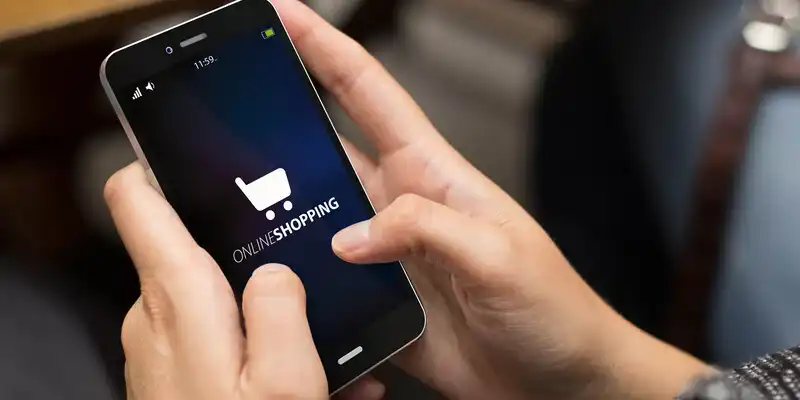
Ulemper? Mange av disse plattformene gir nettsteder som ser bra ut, men er av lav kvalitet på teknisk nivå. Et nettsted bør laste raskt, være brukervennlig og mobilvennlig, samt lett å finne i søkemotorer. Det siste er ikke tilfelle med mange leverandører. Og bare fordi det står søkemotorvennlig på boksen, betyr det ikke at det er det.
Velge et godt domenenavn
Et viktig steg. Et domenenavn må:
- Være lett å skrive
- Være så kort som mulig
- Helst kun inneholde bokstaver
- Høres bra ut og være lett å huske
Å finne et godt domenenavn kan være en utfordring. Mange domenenavn er allerede tatt av domenenavnhijackere. De registrerer tusenvis av domenenavn i håp om å selge noen av dem til ekstreme priser. Selvfølgelig med unnskyldningen: Jeg har holdt dette domenenavnet tilgjengelig spesielt for deg. Så snilt av dem! Domenenavnsregistrene deltar gladelig i dette. Tross alt tjener de en pen sum på de årlige avgiftene for alle de registrerte domenenavnene. At det ikke er noen kvalitetsnettsteder som er vert for domenenavnene, er ikke deres bekymring.
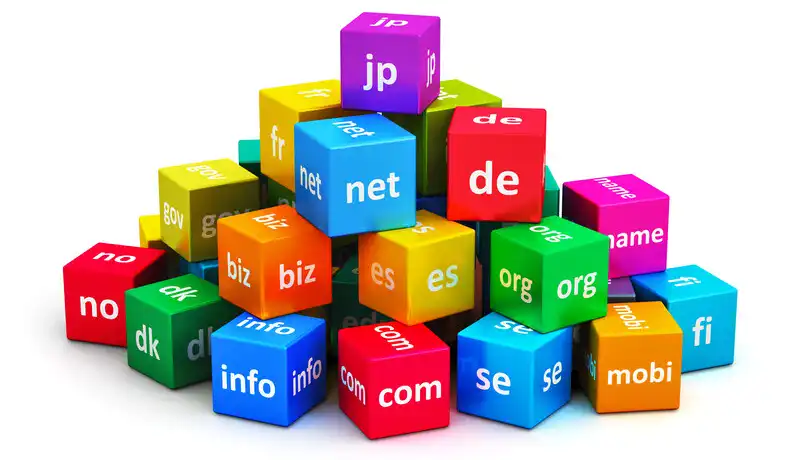
Tips: brainstorm domenenavnet ditt og lag en liste over potensielt gode navn. Når du har funnet et godt domenenavn som fortsatt er tilgjengelig, registrer det umiddelbart. Noen nettsteder lagrer de prøvde domenenavnene og registrerer dem selv. Internett er fullt av hijackere!
Selger du i ett spesifikt land? Da er en landsutvidelse (.au, .co.uk) et bedre valg for søkemotoroptimalisering og for kundene.
Hvordan med å motta betalinger?
Velkommen til verden av online betalinger. Det er en jungel av regler, restriksjoner og skjulte gebyrer. Heldigvis, med de rette partene, kan du komme deg ut av det uskadd. Du kan grovt dele betalingsmetoder inn i fire grupper:
- Lokale betalingsmetoder (Bankoverføring, Bancontact, iDeal, Sofort)
- Kredittkort (Mastercard, Visa)
- Online lommebøker (PayPal)
- Bitcoin

Vi anbefaler å tilby lokale betalingsmetoder gjennom en betalingsleverandør, som Mollie. Betalinger via bankoverføring bør gjøres direkte til din IBAN-konto. Det kan også gjøres gjennom en betalingsleverandør, men de vil ta en provisjon for å behandle betalingen. Og det er et ekstra mellomledd.
Av de online lommebøkene er PayPal den mest kjente, men med et tvilsomt rykte. Den gir en ekstra betalingsmetode, men også mange risikoer. For eksempel er risikoen for svindel ganske høy (forbrukere kan trekke tilbake betalingen, selv om alt gikk bra) og PayPal har en dårlig vane med å blokkere kontoer tilfeldig. Hvis du aktiverer denne betalingsmetoden, anbefaler vi å overføre saldoen fra PayPal-kontoen til bankkontoen din regelmessig.
I løpet av de siste årene har betalinger med Bitcoin og Lightning fått fart. Med disse går betalingen direkte fra kjøperen til selgeren. Fordelen er at det ikke lenger er en betalingsleverandør involvert som mellomledd. Så pengene dine kan ikke fryses, skummes eller sitte fast i limbo. Og det er ingen avviste transaksjoner.
Juridiske krav for en nettbutikk
Og nå for den kjedelige delen. Heldigvis kan du enkelt bli kvitt dette. Det du trenger er generelle vilkår og betingelser og en personvernerklæring. Du kan finne gratis maler for generelle vilkår og betingelser for begge.

En informasjonskapselvarsling er ikke nødvendig i de fleste situasjoner. Som standard settes kun Funksjonelle informasjonskapsler. Hvis du plasserer markedsføringskapsler, er en informasjonskapselvarsling obligatorisk. Som for øvrig kan plasseres med noen få klikk. Men du planla vel ikke å se over skuldrene til besøkende, gjorde du?
Optimaliser nettbutikken din for søkemotorer
Å optimalisere en nettbutikk for SEO (Søkemotoroptimalisering) er primært en prosess med å gi godt innhold. På teknisk nivå blir nettsteder optimalisert for god indeksering. Men selvfølgelig må det være noe interessant å finne på nettstedet før søkemotorer vil liste det.
- Sørg for at du har passende titler med nøkkelord i dem
- Skriv meningsfulle META-beskrivelser
- Prøv å få innkommende lenker
- Unngå å kopiere tekster og spamme

Spesielt nettsteder med nyttig informasjon rangerer bedre. Med en nettbutikk kan du dra nytte av dette ved å legge til omfattende produktbeskrivelser og en blogg med jevnlig oppdatert informasjon. E-butikkprogramvaren lar deg legge inn alt på en brukervennlig måte.
Flerspråklig nettbutikk for et internasjonalt publikum
Hvis du uansett lager en nettbutikk eller nettside, hvorfor ikke legge til flere språk? Du vil åpenbart appellere til et mye større publikum. Å gjøre en nettbutikk flerspråklig er ikke så vanskelig, men det tar litt mer arbeid å oversette alt.

Starte en nettbutikk gratis
Kan du fortsatt starte en gratis nettbutikk i disse tider? Til slutt eksisterer gratis ikke: noen må alltid betale for strøm, servere, vedlikehold og hjelpestøtte. Uten tvil finnes det fortsatt plattformer som tillater det i bytte mot en grusom nettside overbelastet med annonser.
Vi tilbød selv gratis nettbutikker på plattformen vår i 10 år. Det var en veldig populær formel, men kvaliteten på mange nettbutikker lot mye å være ønsket. Gratis nettbutikker ble dessverre ofte brukt til svindel. Vi foretrekker å gjøre et sosialt bidrag med kvalitetsnettbutikker. Dette er også etisk overfor forbrukerne (kundene til kundene våre).
Derfor beslutningen om kun å tilby en tidsbegrenset gratis prøveversjon. Og annonseinntekter og sporere? Det gjør vi overhodet ikke! Det er allerede nok irriterende annonser og invasjoner av vårt privatliv. Ved å fjerne dem, lager vi et bedre internett.
Konklusjon
Tenker du på å starte en nettbutikk, men skremt av alt som er involvert? En feil som ofte gjøres, er å ønske at alt skal være perfekt fra starten av. Det beste du kan gjøre er å bare komme i gang. Du kan gjøre det selv med en enkel nettside. Alt kan utvides, forbedres og finjusteres etterpå.
Når er det beste tidspunktet å starte en nettbutikk? Alltid og aldri. Å vente på et godt tidspunkt er meningsløst. Vi startet selv midt i finanskrisen i 2008, og vi overlevde!
- Introduksjon
- Produktadministrasjon
- Konfigurering av nettbutikken
- Konto- og butikkinnstillinger
- Betalingsmetoder og betalingstjenesteleverandører
- Fakturaer og vilkår og betingelser
- Fastsettelse av fraktkostnader
- Rabatter og tillegg
- Registrering og overføring av domenenavn
- Flerspråklig butikk
- Koble til eksterne plattformer
- Personlige nettadresser
- Håndtering av flere nettbutikker (Multishop)
- Automatiske e-poster til kunder
- Designe et vakkert oppsett
- Ordrehåndtering
- Markedsføring
- Moduler
- Sikkerhetskopier og eksportere data
- E-post og webmail
- Administrator kontoer
- Høy kvalitet bilder
- To-faktor autentisering
- Etiketter
- META-tagger - Nettstedverifisering
- Live chat
- Bildegalleri
- Besøksanalyse - Google Analytics
- Filtre
- Point Of Sale (POS)
- Skjema felt
- Digitale eller virtuelle produkter
- Symcalia reservasjonsystem
- Gjestebok
- Kontakte hjelpesenteret